Post

How to type macrons, accents and other diacritics in easily in Windows

Using Espanso

How to type macrons, accents and other diacritics in easily in Windows Using Espanso Sugam Pokharel

Typing macrons, accents and other diacritics in windows is difficult. When typing Sanskrit, I would often first type in Devanagari manually and then transliterate it using a transliterator online to get the Romanized IAST text. But transliterating again and again is tedious. Copying single ā’s and ū’s is even more painstaking.

Apparently there is an easier way. You don’t need to download a special keyboard for another language or remember what letter goes where as you can set the rules yourself.

We’ll use Espanso. It is a free and open source text expansion tool, that is to say you can set up ways that if you type certain things, it will automatically convert them to some other text that you decided. I’m using IAST transliteration scheme for Sanskrit as an example here but you can, with some time, devise this for any language and their transliteration. You could even do typing to devanagari or greek alphabet with some complex ruleset.

Step 1

Download espanso. Go to this link. There are installation options for various operating systems. You can choose according to your device. I use Windows. So, this post focuses on Windows. Choose Installer (64-bit) and install. The installation should be pretty self explanatory.

Step 2

After installation, open the espanso app and make sure it is running.

Step 3

Then go to AppData folder in your device. It is usually in an address like C:\Users\User\AppData\Roaming\espanso\match Inside this folder, you will see a file named base.yml. Open it. If you have an IDE like VSCode, it will automatically open there. Otherwise, you can open it in notepad.

Step 4

You’ll see a file something like this:

YML
 1
 2
 3
 4
 5
 6
 7
 8
 9
10
11
12
13
14
15
16
17
18
19
20
21
22
23
24
25
26
27
28
29
30
31
32
33
34
35
36
37
38
39
40
# espanso match file

# For a complete introduction, visit the official docs at: https://espanso.org/docs/

# You can use this file to define the base matches (aka snippets)
# that will be available in every application when using espanso.

# Matches are substitution rules: when you type the "trigger" string
# it gets replaced by the "replace" string.

# yaml-language-server: $schema=https://raw.githubusercontent.com/espanso/espanso/dev/schemas/match.schema.json

matches:
  # Simple text replacement
  - trigger: ":espanso"
    replace: "Hi there!"

  # NOTE: espanso uses YAML to define matches, so pay attention to the indentation!

  # But matches can also be dynamic:

  # Print the current date
  - trigger: ":date"
    replace: "{{mydate}}"
    vars:
      - name: mydate
        type: date
        params:
          format: "%m/%d/%Y"

  # Print the output of a shell command
  - trigger: ":shell"
    replace: "{{output}}"
    vars:
      - name: output
        type: shell
        params:
          cmd: "echo 'Hello from your shell'"

  # And much more! For more information, visit the docs: https://espanso.org/docs/

We care only for the part below ‘match’. There we can see ’trigger’ and ‘replace’ with their corresponding value. Currently there is only one pair.

YML
1
2
3
4
matches:
  # Simple text replacement
  - trigger: ":espanso"
    replace: "Hi there!"

What this does is that if you type “:espanso”, the software will automatically replace it with “Hi there!”. Try to write (not copy) “:espanso” yourself.

In the matches, we can add our own values to trigger-replace pairs to help us write. For example, add this in the ‘matches’(make sure the indentation is correct) and save the file:

YML
1
2
- trigger: "^a"
  replace: "ā"  

Now if you try to type “^a”, you will automatically get “ā”. You can add as many diacritics as you need. Using common signs like “.” or “;” which are used commonly in typing other things may lead to these replacements occuring even in places where you don’t want them to. Also having a consistent scheme (like “^” for macrons, or “&” for acute accents can make remembering these easier). That said you can add them as freely as you like. You can replace whole sentences as well.

Typing IAST in Windows

Step 5

For Sanskrit and IAST, I have made added the values for my own use. You can create your own or you can just copy paste this if you want. I will explained the scheme below the yml file:

YML
  1
  2
  3
  4
  5
  6
  7
  8
  9
 10
 11
 12
 13
 14
 15
 16
 17
 18
 19
 20
 21
 22
 23
 24
 25
 26
 27
 28
 29
 30
 31
 32
 33
 34
 35
 36
 37
 38
 39
 40
 41
 42
 43
 44
 45
 46
 47
 48
 49
 50
 51
 52
 53
 54
 55
 56
 57
 58
 59
 60
 61
 62
 63
 64
 65
 66
 67
 68
 69
 70
 71
 72
 73
 74
 75
 76
 77
 78
 79
 80
 81
 82
 83
 84
 85
 86
 87
 88
 89
 90
 91
 92
 93
 94
 95
 96
 97
 98
 99
100
101
102
103
104
105
106
107
108
109
110
111
112
113
114
115
116
117
118
119
120
121
122
123
124
125
126
127
128
129
130
131
132
133
134
135
136
137
138
139
140
141
142
143
144
145
146
147
148
149
150
151
152
153
154
155
156
157
158
159
160
161
162
163
164
165
166
167
168
169
170
171
172
173
174
175
176
177
178
179
180
181
182
183
184
185
186
187
188
189
190
191
192
193
194
195
196
197
198
199
200
201
202
203
204
205
206
207
208
209
210
211
212
213
214
215
216
217
218
219
220
221
222
223
224
225
226
227
228
229
230
231
232
233
234
235
236
237
238
239
240
241
242
243
244
245
246
247
248
249
250
251
252
253
254
255
256
257
258
259
260
261
262
263
264
265
266
267
268
269
270
271
272
273
274
275
276
277
278
279
280
281
282
283
284
285
286
287
288
289
290
291
292
293
294
295
296
297
298
299
300
301
302
303
304
305
306
307
308
309
310
311
312
313
314
315
316
317
318
319
320
321
322
323
324
325
326
327
328
329
330
331
332
333
334
335
336
337
338
339
340
341
342
343
344
345
346
347
348
349
350
351
352
353
354
355
356
357
358
359
360
361
362
363
364
365
366
367
368
369
370
371
372
373
374
# espanso match file

# For a complete introduction, visit the official docs at: https://espanso.org/docs/

# You can use this file to define the base matches (aka snippets)
# that will be available in every application when using espanso.

# Matches are substitution rules: when you type the "trigger" string
# it gets replaced by the "replace" string.

# yaml-language-server: $schema=https://raw.githubusercontent.com/espanso/espanso/dev/schemas/match.schema.json

matches:
  # Simple text replacement
  - trigger: ":espanso"
    replace: "Hi there!"

# ^ is for long vowels
  - trigger: "^a"
    replace: "ā"

  - trigger : "^A"
    replace: "Ā"

  - trigger : "^i"
    replace: "ī"

  - trigger : "^I"
    replace: "Ī"

  - trigger : "^u"
    replace: "ū"

  - trigger : "^U"
    replace: "Ū"

# ! is for retroflex

  - trigger : "!t"
    replace: "ṭ"

  - trigger : "!T"
    replace: "Ṭ"

  - trigger : "!d"
    replace: "ḍ"

  - trigger : "!D"
    replace: "Ḍ"

  - trigger : "!n"
    replace: "ṇ"

  - trigger : "!N"
    replace: "Ṇ"

  - trigger : "!l"
    replace: "ḷ"

  - trigger : "!L"
    replace: "Ḷ"

  - trigger : "!s"
    replace: "ṣ"

  - trigger : "!S"
    replace: "Ṣ"

  - trigger : "!r"
    replace: "ṛ"

  - trigger : "!R"
    replace: "Ṛ"

  - trigger : "!m"
    replace: "ṃ"

  - trigger : "!M"
    replace: "Ṃ"

  - trigger : "!h"
    replace: "ḥ"

  - trigger : "!H"
    replace: "Ḥ"

# !^ ir ^! is for long retroflex vowels

  - trigger : "!^r"
    replace: "ṝ"

  - trigger : "!^R"
    replace: "Ṝ"

  - trigger : "!^l"
    replace: "ḹ"

  - trigger : "!^L"
    replace: "Ḹ"

  - trigger : "^!r"
    replace: "ṝ"

  - trigger : "^!R"
    replace: "Ṝ"

  - trigger : "^!l"
    replace: "ḹ"

  - trigger : "^!L"
    replace: "Ḹ"

# ~ is for nasals and palatals

  - trigger : "~n"
    replace: "ñ"

  - trigger : "~N"
    replace: "Ñ"

  - trigger : "~s"
    replace: "ś"

  - trigger : "~S"
    replace: "Ś"

# !! is for ng 

  - trigger : "!!n"
    replace: "ṅ"

  - trigger : "!!N"
    replace: "Ṅ"

# & is for acute accent

  - trigger : "&a"
    replace: "á"

  - trigger : "&A"  
    replace: "Á"

  - trigger : "&e"
    replace: "é"

  - trigger : "&E" 
    replace: "É"

  - trigger : "&i"
    replace: "í"  

  - trigger : "&I"
    replace: "Í"

  - trigger : "&o"
    replace: "ó"

  - trigger : "&O"
    replace: "Ó"

  - trigger : "&u"
    replace: "ú"

  - trigger : "&U"
    replace: "Ú"

# &! or !& is for acute accent on retroflex vowel

  - trigger : "&!r"
    replace: "ŕ̥"

  - trigger : "&!R"
    replace: "Ŕ̥"

  - trigger : "&!l"
    replace: "ĺ̥"

  - trigger : "&!L"
    replace: "Ĺ̥"

  - trigger : "!&r"
    replace: "ŕ̥"

  - trigger : "!&R"
    replace: "Ŕ̥"

  - trigger : "!&l"
    replace: "ĺ̥"

  - trigger : "!&L"
    replace: "Ĺ̥"

# && is for grave accent 

  - trigger : "&&a"
    replace: "à"

  - trigger : "&&A"
    replace: "À"

  - trigger : "&&e" 
    replace: "è"

  - trigger : "&&E"
    replace: "È"

  - trigger : "&&i"
    replace: "ì"

  - trigger : "&&I"
    replace: "Ì"

  - trigger : "&&o"
    replace: "ò"

  - trigger : "&&O"
    replace: "Ò"

  - trigger : "&&u"
    replace: "ù"

  - trigger : "&&U"
    replace: "Ù"  

## &&! or !&& is for grave accent on retroflex vowel

  - trigger : "&&!r"
    replace: "ṛ̀"

  - trigger : "&&!R"
    replace: "Ṛ̀"

  - trigger : "&&!l"
    replace: "ḷ̀"

  - trigger : "&&!L"  
    replace: "Ḷ̀"

  - trigger : "!&&r"
    replace: "ṛ̀"

  - trigger : "!&&R"
    replace: "Ṛ̀"

  - trigger : "!&&l"
    replace: "ḷ̀"

  - trigger : "!&&L"
    replace: "Ḷ̀"

## ^& or &^ is for acute accent on long vowel

  - trigger : "^&a"
    replace: "á̄"

  - trigger : "^&A"
    replace: "Á̄"

  - trigger : "^&i"
    replace: "í̄"

  - trigger : "^&I"
    replace: "Í̄"

  - trigger : "^&u" 
    replace: "ú̄"

  - trigger : "^&U"
    replace: "Ú̄"

  - trigger : "&^a"
    replace: "á̄"

  - trigger : "&^A"
    replace: "Á̄"  

  - trigger : "&^i"
    replace: "í̄"

  - trigger : "&^I"
    replace: "Í̄"

  - trigger : "&^u"
    replace: "ú̄"

  - trigger : "&^U"
    replace: "Ú̄"  

## !&^ or &!^ is for acute accent on long retroflex vowel

  - trigger : "!&^r"
    replace: "ṝ́ "

  - trigger : "!&^R"
    replace: "ṝ́ "

  - trigger : "!&^l"
    replace: "ḹ́"

  - trigger : "!&^L"
    replace: "Ḹ́"

  - trigger : "&!^r"
    replace: "ṝ́ "

  - trigger : "&!^R"
    replace: "ṝ́ "


## &&^ or ^&& is for grave accent on long vowel

  - trigger : "&&^a"
    replace: "à̄"

  - trigger : "&&^A"
    replace: "À̄"

  - trigger : "&&^i"
    replace: "ì̄"

  - trigger : "&&^I"
    replace: "Ì̄"

  - trigger : "&&^u"
    replace: "ù̄"

  - trigger : "&&^U"
    replace: "Ù̄"

  - trigger : "^&&a"
    replace: "à̄"

  - trigger : "^&&A"
    replace: "À̄"  

  - trigger : "^&&i"
    replace: "ì̄"

  - trigger : "^&&I"
    replace: "Ì̄"

  - trigger : "^&&u"
    replace: "ù̄"

  - trigger : "^&&U"
    replace: "Ù̄"


  # NOTE: espanso uses YAML to define matches, so pay attention to the indentation!

  # But matches can also be dynamic:

  # Print the current date
  - trigger: ":date"
    replace: "{{mydate}}"
    vars:
      - name: mydate
        type: date
        params:
          format: "%m/%d/%Y"

  # Print the output of a shell command
  - trigger: ":shell"
    replace: "{{output}}"
    vars:
      - name: output
        type: shell
        params:
          cmd: "echo 'Hello from your shell'"

  # And much more! For more information, visit the docs: https://espanso.org/docs/

The meanings are there in comments in the code as well but here’s a summary:

SymbolMeaningExample
`^`macron — long vowel`^a` → ā
`!`dot below (retroflex consonants, anusvāra, visarga)`!t` → ṭ
`!^` / `^!`dot below **+** macron — long vocalic r/l`!^r` → ṝ
`~`palatal marker`~n` → ñ, `~s` → ś
`!!`dot above (velar nasal, sounds like "ng")`!!n` → ṅ
`&`acute accent — **udātta** (Vedic high tone)`&a` → á
`&&`grave accent — **anudātta** (Vedic low tone)`&&a` → à
`&!` / `!&`acute accent on vocalic r/l`&!r` → ŕ̥
`&&!` / `!&&`grave accent on vocalic r/l`&&!r` → ṛ̀
`^&` / `&^`acute accent on long vowel (ā/ī/ū only)`^&a` → ā́(as á̄)
`&&^` / `^&&`grave accent on long vowel (ā/ī/ū only)`&&^a` → à̄
`!&^` / `&!^`acute accent on long vocalic r/l`!&^r` → ṝ́
Table: Meaning of signs
Every rule has a matching capital-letter version (e.g. “^A → Ā”), written out explicitly in the file rather than relying on espanso’s automatic case handling.

Of Course you don’t have to copy this and can make your own scheme.
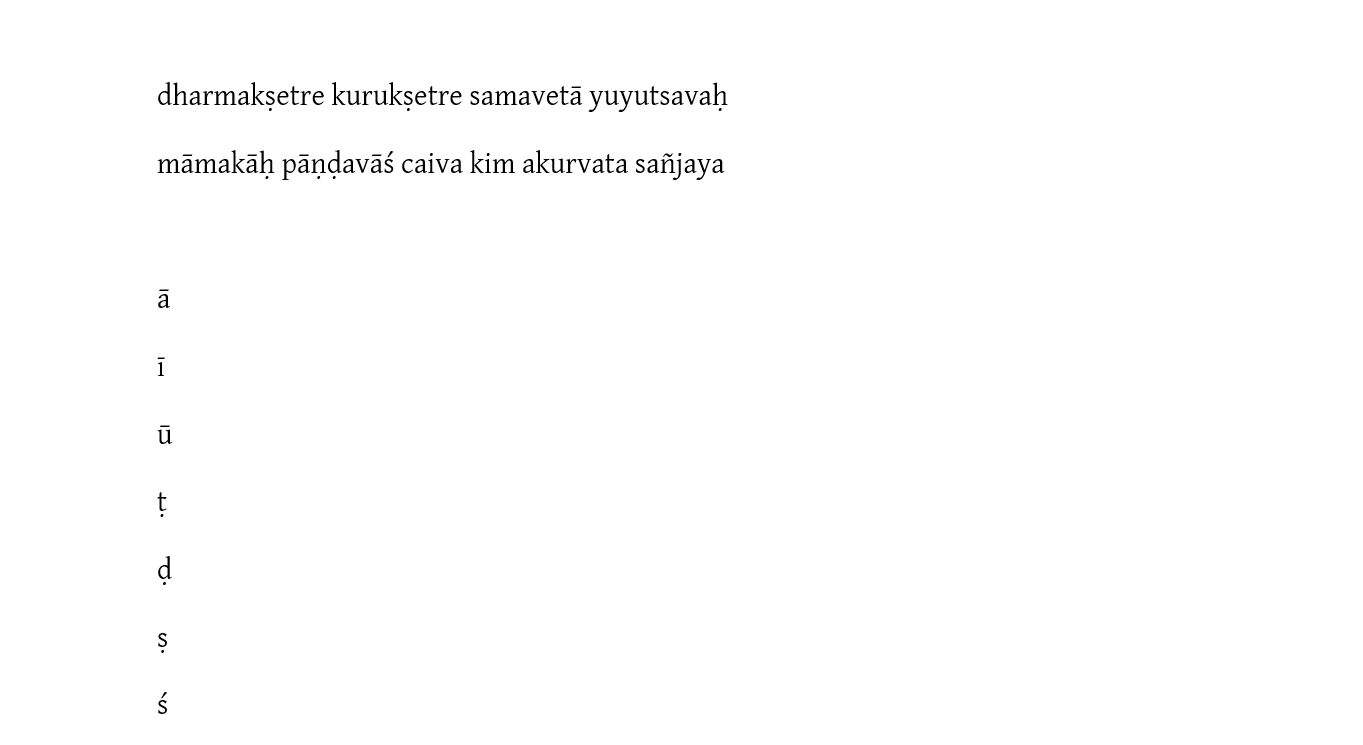
Hope this is helpful to someone.

Share this article

  • X
  • Facebook
  • LinkedIn
  • Reddit
  • WhatsApp
  • Telegram
  • Pinterest
  • Bluesky

Related writing